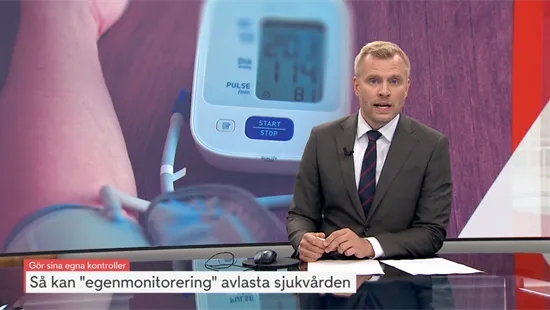
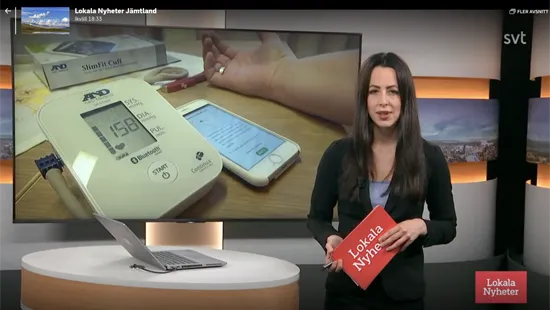
Healthcare is now scaling up remote patient monitoring.
What is self-monitoring?
Keep track of your values, wherever you are
Remote patient monitoring is a service that lets you take your health readings from home. Using an app and Bluetooth-connected equipment, such as a blood pressure monitor, spirometer or scales, your results are visible immediately to both you and your healthcare provider. If your readings fall outside your target range, your healthcare provider can contact you to ask questions or adjust your medication. Self-monitoring gives you as a patient greater insight into your care plan and your readings. Simply put, you get to know your own health better.
For those who want to keep track of and strengthen their health
Benefits of remote patient monitoring
Increased accessibility - for the individual patient and for the healthcare provider
Increased patient safety - the healthcare provider can act immediately in the event of a deviation, before the patient’s health has time to deteriorate. In addition, clear graphs with historical data make it possible to identify trends and tendencies over time
Increased continuity - where the healthcare provider get to know the patient’s health and the patient has the same healthcare contact over time
Increased flexibility - the patient receives healthcare on their terms, in their home, while healthcare staff can work remotely
Increased self-awareness – the patient gains increased knowledge about their own health and care plan, which leads to greater participation and engagement
Read more about how specialist nurse Petra Jacobson describes the benefits of self-monitoring for her patients living with COPD in the article No one wants to be in hospital.
Egenmonitorering uses cookies to improve your user experience, to provide a basis for improvement and further development of the website and to be able to direct more relevant offers to you.
Feel free to read our privacy policy. If you agree to our use, choose Allow all. If you want to change your choice afterwards, you will find that option at the bottom of the page.